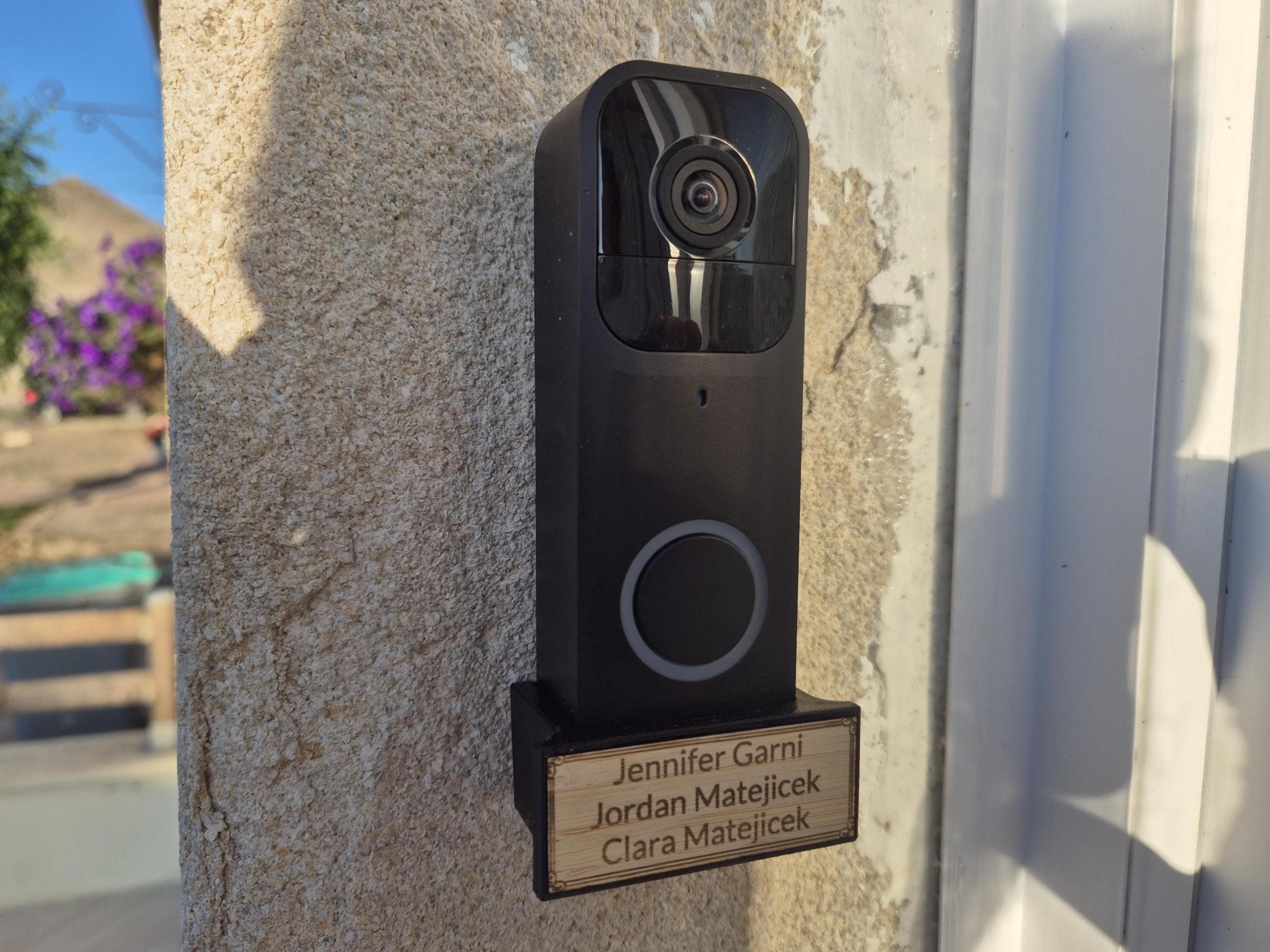
Laser cutting is one of those services people imagine is reserved for professional workshops and municipal fablabs. In reality, for several years now a number of workshops have offered it on demand, to private customers and small businesses alike. What remains is knowing what can really go under a laser, how to prepare your file, and when the technology is the right fit. This guide lays out the options, the materials, and the classic pitfalls.
Laser cutting or engraving: what these two operations actually do
The laser is a single tool performing two very different operations depending on power and exposure time.
Cutting: a line that goes through the material
Laser cutting melts or vaporizes the material through its full thickness, following a vector path. The result is a piece separated from the rest of the sheet, with a clean edge, burned over a few tenths of a millimeter. On 3 mm plywood, the edge takes on a characteristic amber tone. On acrylic, it's mirror-like, almost varnished. On leather, it's black and dry.
Precision is on the order of a tenth of a millimeter, which allows mortise-and-tenon assemblies, working gears, and tight interlocking joints with no screws at all.
Engraving: marking without going through
Engraving uses lower power and a faster pass. The laser burns the surface of the material over a few tenths of a millimeter, revealing a contrasting design without affecting the rigidity of the piece. Depending on the material, depth can go up to 5 mm on wood, which gives a tactile relief, not just a change of color.
Engraving accepts vector outlines (a logo, text) just as well as a grayscale image (a photo, a halftone illustration). A photo engraved on wood or leather looks radically different from a print: the material is part of the result, and every piece has its own irregularities.
Which materials work with a CO₂ laser
The CO₂ laser machine — the kind found in generalist workshops like PrintWonders — is optimized for organic materials and certain plastics. Here are the main families and what to expect from them.
Plywood and MDF
These are the two flagship materials of laser cutting. 3 mm plywood gives a warm, lightly grained result with an amber edge. 3 mm MDF is more uniform, more matte, ideal for painting or staining. Both take deep engraving very well and allow reliable structural assemblies.
For visible unpainted pieces, plywood is generally preferred (poplar or birch depending on supply). For pieces destined to be finished, MDF is more economical and more stable.
Acrylic (PMMA)
3 mm PMMA gives a very different result: transparent or colored, with a clean, glossy edge that looks varnished. It's the material of choice for signage, illuminated signs, display stands, and anything that has to catch the eye without looking homemade.
Be careful not to confuse PMMA with polycarbonate. Polycarbonate melts messily under a CO₂ laser and isn't recommended; PMMA cuts cleanly.
Leather, cork and felt
Vegetable-tanned leather (veg tan) is one of the finest uses of laser engraving. The edge is black and clean, and the engraving reveals a dark contrast against the natural tone of the leather. Bracelets, labels, personalized cases: the high-end finish is immediate.
Cork takes both cutting and engraving and works beautifully for signage or decorative objects. Felt also cuts very cleanly, ideal for textile accessories or flexible stencils.
Card and paper
Often overlooked, foam board, corrugated card and heavy paper are perfectly compatible with laser cutting. They make an excellent prototyping medium before moving to a more expensive material: you validate the dimensions, the joints and the general look, then order the final version in wood or acrylic.
What doesn't work (and why)
Some materials must be avoided. PVC releases acidic gases that destroy the optics and are toxic to the operator. Polycarbonate melts badly. Metals cannot be cut with a CO₂ laser: that needs a fiber laser, found at specialist shops. For metal, the simplest route is to ask your provider, who can point you in the right direction.
Common uses for an on-demand laser service
The range of compatible materials opens up very varied use cases.
Wall decor and signage
Engraved door plates, shop signs, directional panels, wall decor such as silhouettes or wooden lettering: laser cutting lets you produce as a one-off what would otherwise have to be ordered as an industrial batch. The result is personalized from the start: your name, your logo, your exact measurements.
Prototyping and small runs
For artisans and small brands, laser cutting is often the bridge between the drawing and the product. You can test a shape, adjust it, order ten copies to validate a market, without committing to a mold or tooling. Once the version is confirmed, you can move to larger volumes elsewhere.
Gifts and personalized objects
Leather luggage tags, bracelets, name plates, wooden invitations, engraved trivets, pre-cut wooden toys: the list is long. For a one-off gift it's often cheaper than an equivalent ready-made object, and invariably more personal.
Models and architecture
Architects and schools make extensive use of laser cutting to build scale models. A vector plan lets you cut every façade of a building in one operation, with a precision no craft knife could match.
Preparing your file for laser cutting
This is the stage that puts most people off, and it's also the one that determines whether the order runs smoothly.
Vector or raster, the distinction that matters
For cutting, a vector file is essential: the laser follows lines, not pixels. If you supply a JPG or PNG image of a logo, the workshop will have to vectorize it first, which takes time and can cost extra.
For engraving, both formats are accepted. A well-contrasted raster image gives a photographic engraving. A vector gives a crisp, reproducible engraving.
Accepted file formats
The classic vector formats are supported without surprises: .svg, .ai, .pdf, .dxf, .eps. On the raster side, high-resolution .png and .jpg (300 DPI minimum) are enough for engraving.
If you work with free tools, Inkscape (the open source equivalent of Illustrator) exports impeccable .svg. To vectorize an existing image, Inkscape's Trace Bitmap option often gives a usable result in a few minutes.
Color conventions
Many workshops use a color code in the vector file to distinguish operations:
- Thin red (0.01 mm): cutting line
- Thin blue: light marking (scoring)
- Black with fill: solid engraving
This isn't universal, and every workshop can have its own conventions. The best approach is to ask before sending the final file, or to put each type of operation on a clearly named separate layer.
Check your dimensions
On SVG files in particular, the default unit can vary (pixels, points, millimeters). Always check that the drawing rectangle really matches the stated dimension before sending. A piece designed at 10 cm that arrives at 28 cm because inches and centimeters got confused is a classic mistake.
What it costs and how long it takes
The price of a laser cut depends mainly on three factors: the material, the total cutting length, and the engraved area. As a guide, 3 mm plywood is the most economical option, MDF is slightly cheaper still, and PMMA acrylic costs roughly three times more per cm². Leather and cork vary in price with the quality of the tanning.
For a one-off project — a plate, a sign, a dozen labels — the cost stays very contained and the lead time is measured in days. Exact ranges depend on the file: a complex design with lots of small details takes longer than one large simple shape to cut. A quote takes a few minutes once the file is supplied, and dispatch follows.
For larger runs or a recurring project, ask for a tailored quote: terms change quickly from a few dozen pieces upward.
Laser cutting or 3D printing: how to decide
The two services complement each other more than they compete. Here's how to choose.
| Criterion | Laser cutting | 3D printing |
|---|---|---|
| Geometry | 2D or 2.5D (flat assemblies) | Free 3D, complex shapes |
| Materials | Wood, acrylic, leather, card | PLA, PETG, resin, ABS |
| Speed | Very fast on small pieces | Slower on large volumes |
| Finish | Clean edge, natural or glossy | Visible layers depending on quality |
| Ideal for | Decor, signage, models | Functional parts, accessories |
If your project lies flat on a sheet, laser cutting is almost always faster and cheaper. As soon as there's volume — an enclosure that interlocks in 3D, a mount with a curved shape, a mechanical part — 3D printing takes the advantage back. Many projects combine the two: a laser-cut acrylic enclosure for the shell, a 3D printed technical part for the inside. If you're hesitating between the two for a specific project, talk to us and we'll point you to the better technology.
Starting a project in practice
The process comes down to a few simple steps: prepare your file, identify your materials, check your dimensions, and send it all with a request for a quote. For custom projects, a short written description beats a badly prepared file: a serious workshop would rather ask two questions and produce the right piece first time.
PrintWonders offers laser cutting and engraving on demand alongside its 3D printing service. Whether it's a one-off object, a prototype or a small run, the quote is built from a file or from a description. To browse products already designed and printed, the store brings together the ready-to-order range.
With a clean file, checked dimensions and the right material choice, laser cutting produces in a few days what no shop stocks on its shelves: exactly what you need, no more and no less.